SAB Player Pro, the IPTV player for the screen you choose.
SAB Player Pro is a player. Add your playlist (M3U link or Xtream Codes login) and find your live channels with the programme guide, catch-up, movies and series.
Free app. No channels are provided: it only plays the playlists you add.
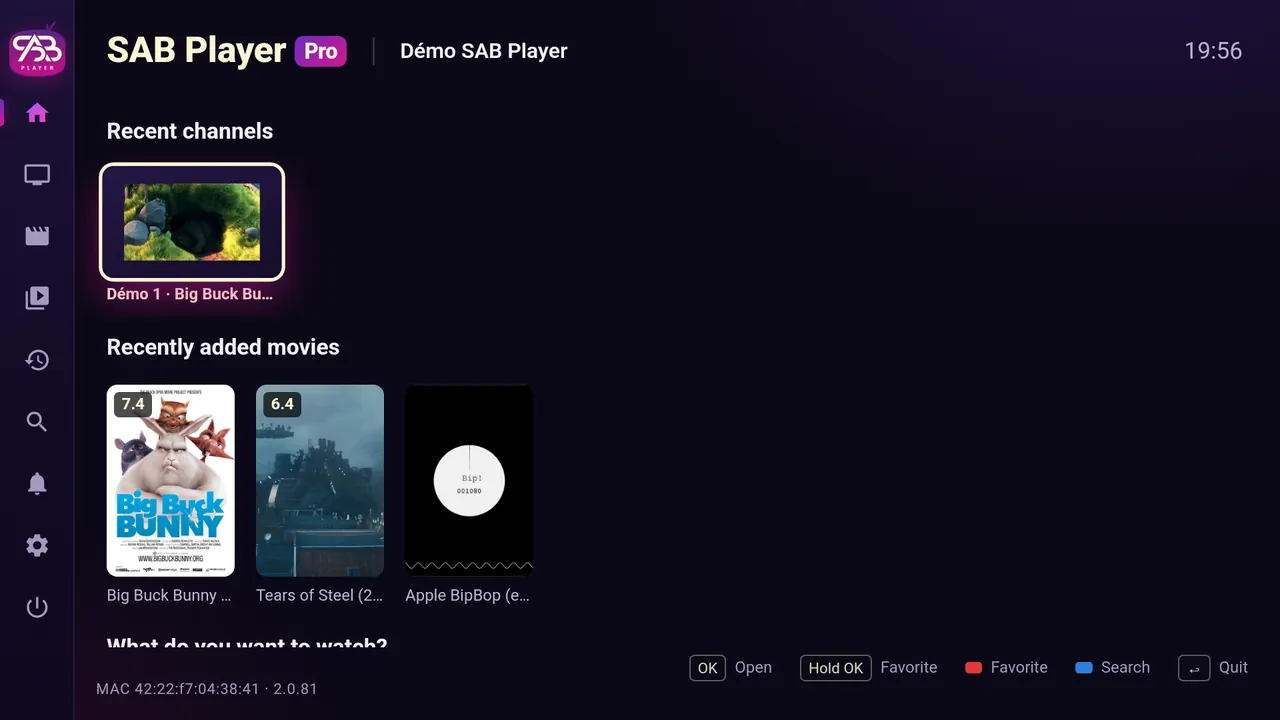
What you will see on screen
These pictures come from the app, with a demo playlist of free films.
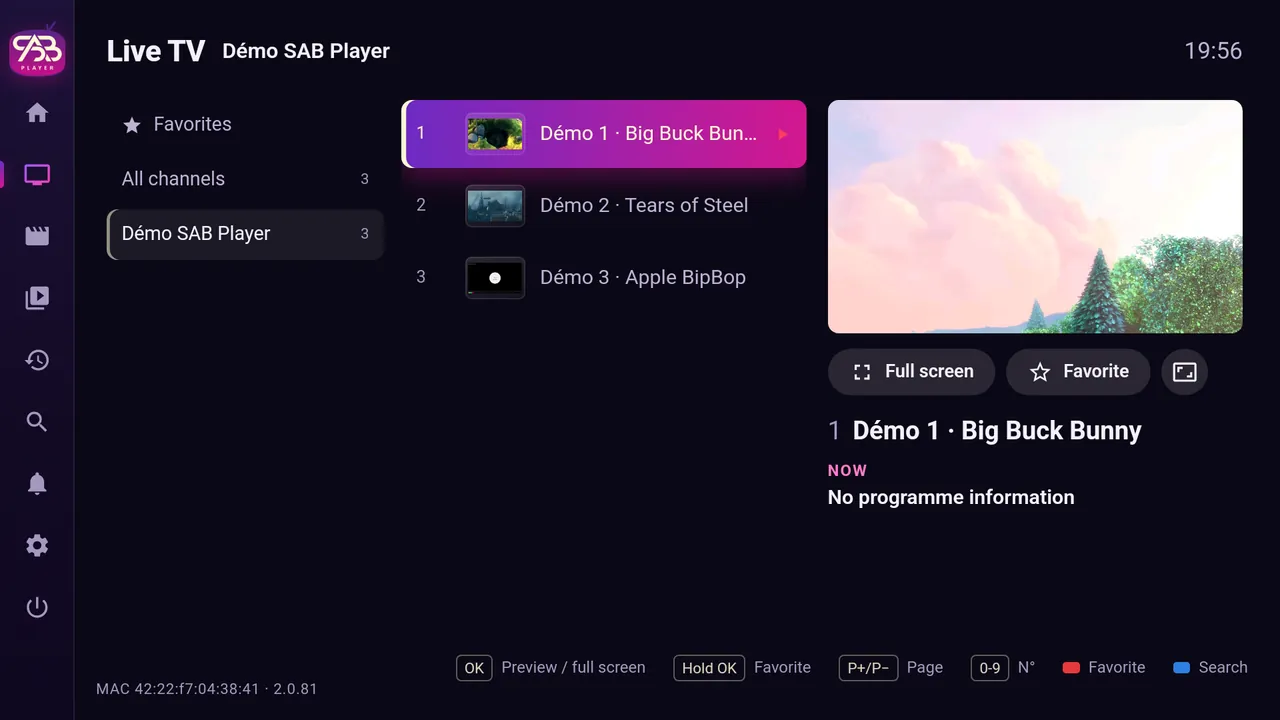
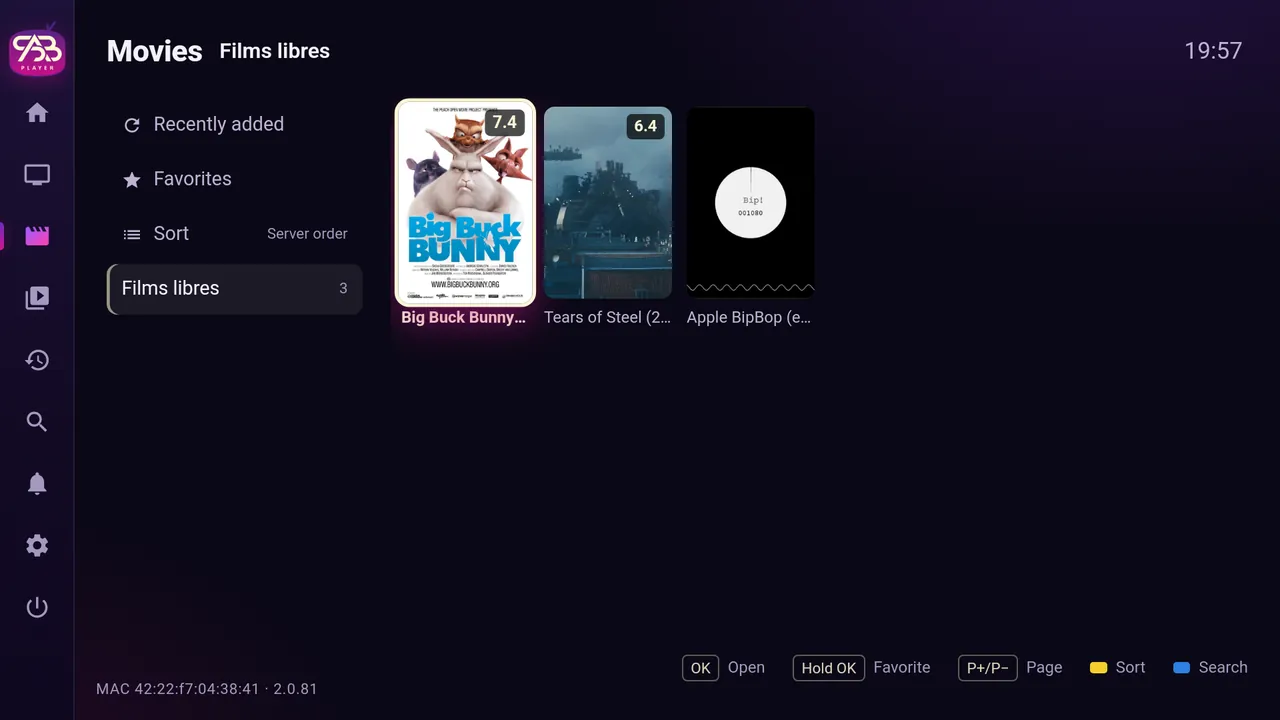
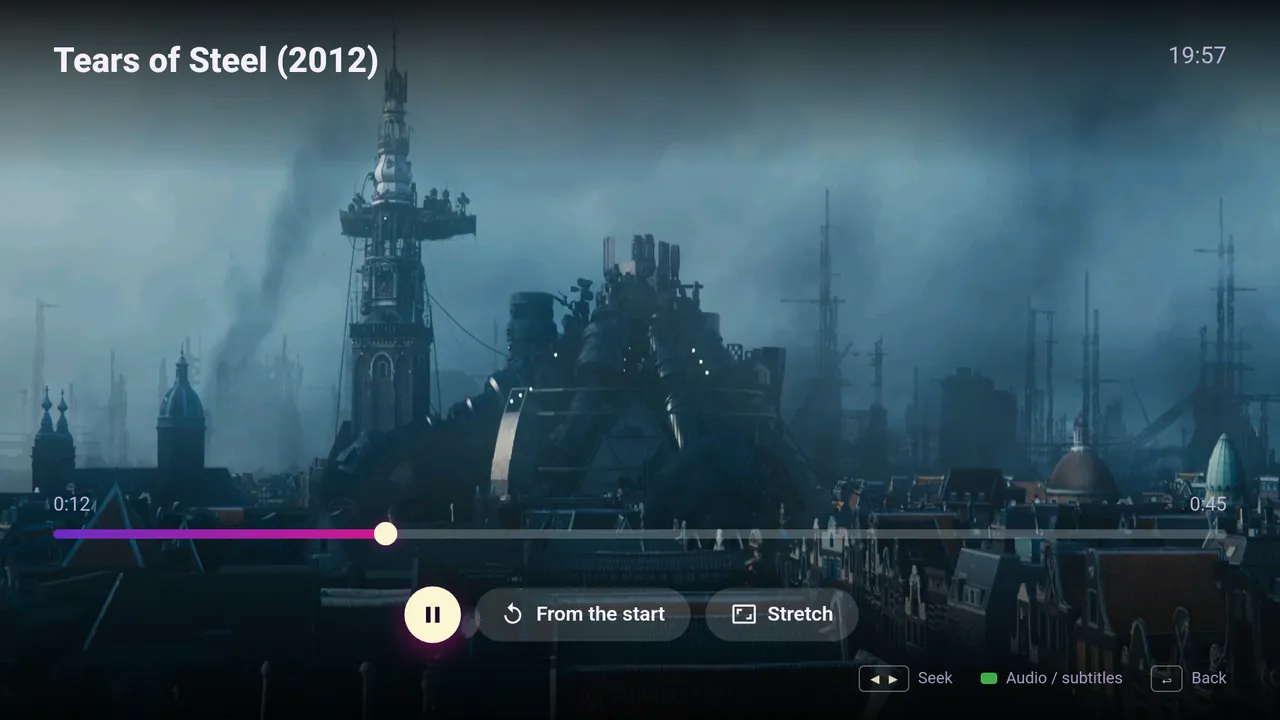
The details that matter
- Catch-up on channels that offer it
- Search across channels, movies and series
- Several playlists on the same device
- AC3, E-AC3 and DTS sound, HEVC video, depending on the device
- Picture formats: fit, fill, stretch
- French and English interface
Install SAB Player Pro on your screen
Find your device: each row tells you where to install the app.
-
Samsung TV
Tizen, 2020 models and newerAvailable in the Samsung TV app store: open Apps and search for “SAB Player”.
-
LG TV
webOS, 2018 models and newerAvailable in the LG Content Store: open Apps and search for “SAB Player”.
-
Philips, JVC, Sharp TV
Titan OS (non-Android Philips, JVC, Sharp…)Available in the TV’s app store: open it and search for “SAB Player Pro”. Philips Android TV: see Android.
-
Apple
iPhone, iPad, Apple TV
On Apple TV, search for “SAB Player Pro” in the TV’s App Store.
-
Android
Android TV, Google TV, box, phone, tablet
No Play Store? Use the Downloader app, code 1626352.
-
Fire TV
Fire TV Stick, Fire TV Stick 4K Select (Vega OS), Fire TV Cube, Fire TV televisions
Or search for “SAB Player Pro” in Apps on your Fire TV.
-
Roku
Roku Express, Streaming Stick, Roku TVsOr search « SAB Player Pro » in the Channel Store, channel code 2JT5THC.
-
Xbox
Xbox Series X|S, Xbox One
On the console, search for “SAB Player Pro” in the Microsoft Store. All about the Xbox app.
-
Windows
PC with Windows 10 or 11 -
Mac
macOS 12 or later, Apple silicon or IntelSigned and notarized by Apple.
-
Linux
Ubuntu, Debian, Fedora, Mint, Raspberry PiAppImage or .deb package.
Then add your playlist
- 1
Open the app
It shows the device MAC address, a password and a QR code.
- 2
Sign in to the playlists page
From your phone or computer, with the MAC address and password. The QR code takes you straight there.
- 3
Add your provider’s playlist
M3U link or Xtream Codes login. The playlist shows up in the app by itself.
A player, not a provider
SAB Player Pro does not provide, host or distribute any content: no channels, no movies, no subscription. You add your own playlists and you are responsible for what they contain.
Frequently asked questions
Does SAB Player Pro give access to channels?
No. It is a player: without a playlist you add, it shows nothing. The pictures on this page use free films from the Blender Foundation.
Do I have to pay for the app?
No. SAB Player Pro is free for now: nothing to pay to install it or to add your playlist.
My device is not in the list. What can I do?
If your TV does not have the app in its store (Samsung before 2020, LG before 2018, other brands without Titan OS), a Fire TV stick or an Android box plugged into the TV will do.
I am changing devices: do I keep my playlist?
The playlist is linked to the device MAC address. On a new device, note its MAC address and add the playlist to it from the playlists page.